Website, web application or mobile app: how to choose
Three products that look similar on a proposal and behave very differently once you have to pay for them and keep them running.
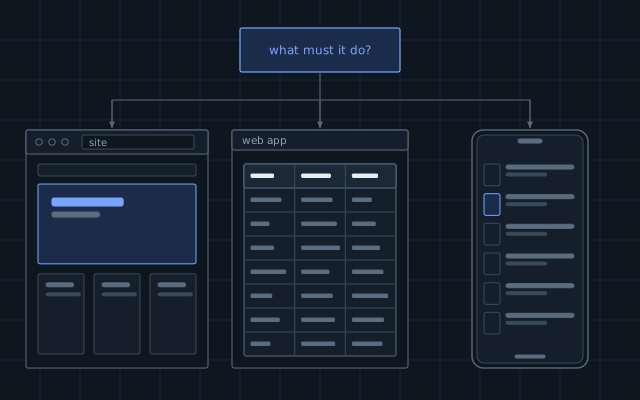
Most projects begin with a format: “we need an app”. A better start is a sentence about what a person must be able to do, how often, and on what device. The format follows from that sentence.
The three formats
A website presents information and collects requests. Most of its visitors come once or twice, usually from a search engine. It must load quickly and be found.
A web application is a working tool that happens to run in a browser: an order desk, a customer portal, a scheduling system. People sign in and spend time in it. It needs accounts, permissions and real logic on the server.
A mobile application lives on the phone. It earns its place when people use it often, or when it needs the camera, location, notifications or offline work.
How they compare
| Website | Web application | Mobile app | |
|---|---|---|---|
| How people get it | A link | A link and a sign-in | Store download |
| Updates | Immediate | Immediate | Store review, then users update |
| Works offline | Rarely | Partly | Yes, if designed for it |
| Device features | Limited | Limited | Full |
| Relative cost | Lowest | Medium to high | High, and two platforms to maintain |
Questions that decide it
- How often will one person use it? Once a month points to the web. Several times a day points to an app.
- Does it need the device? Barcode scanning all day, background location or reliable push notifications point to an app.
- Does it have to work without a connection? Warehouses, basements and rural routes are real. A browser can cache some things, but an app does it properly.
- Who will install it? Your own staff will install what you tell them to. Customers will not install anything for a single purchase.
The usual mistake
The usual mistake is to build a mobile app first, because an app feels like a serious product. The app then needs a server, an administration panel and usually a website as well, so the most expensive part arrives first and the part that brings customers arrives last.
A safer order for most businesses is this: a web application that works well on a phone, then a mobile app once real usage shows what deserves to be in it. A progressive web app can fill the gap, with an icon on the home screen and basic offline behaviour, although platform support for it still varies.
What to write down before asking for a quote
Describe who the users are, the three things they do most, what other systems must be connected, and what happens if the service is unavailable for an hour. Those four answers tell a developer more than a list of screens does.
Written by the Avtim engineering team. This is general information; check it against your own system before relying on it.